sha256:4d88c02489c92231…
Your application’s files, stored once and read every way.
vola is a self-hosted, multi-tenant, content-addressable file service: upload or resume an upload, stream with Range, get thumbnails and OCR, keep folders and versions, hand out share links, and encrypt per file.
docker compose -f docker-compose.yaml up -d --build
One file, every way to read it
One upload to the live examples instance, then what vola answered. These are recordings of real requests, cut to fit the column: nothing here was typed by hand.
Upload it
The file is stored under the SHA-256 of its bytes. The same bytes uploaded twice, by anyone, are one blob on disk.
POST /vola/files/demo/00000000 HTTP/1.1
Authorization: Bearer $KEY

<multipart: file=aurora.jpg, 41167 bytes>
HTTP/1.1 201 Created Content-Type: application/json; charset=utf-8 { "id": "01a19fd3", "hash": "4d88c02489c92231…", "size": 41167, "filename": "aurora.jpg", "mime_type": "image/jpeg", "kind": "image", "encryption": "none", "processing_status": "PENDING" }Ask what it is
The worker is already rendering thumbnails, so
processing_statusmoves on its own.GET /vola/files/demo/00000000/01a19fd3/info HTTP/1.1 Authorization: Bearer $KEYHTTP/1.1 200 OK Content-Type: application/json; charset=utf-8 { "id": "01a19fd3", "hash": "4d88c02489c92231…", "size": 41167, "filename": "aurora.jpg", "mime_type": "image/jpeg", "kind": "image", "encryption": "none", "processing_status": "RUNNING" }Read part of it
A
Rangeheader gets you a206with just those bytes:bytes 8192-16383/41167. It's how video seeks and how a broken download picks up where it stopped.GET /vola/files/demo/00000000/01a19fd3 HTTP/1.1 Authorization: Bearer $KEY Range: bytes=8192-16383HTTP/1.1 206 Partial Content Content-Type: image/jpeg Content-Length: 8192 Content-Range: bytes 8192-16383/41167 Accept-Ranges: bytes ETag: "4d88c02489c92231…" Cache-Control: private, no-cache Content-Disposition: inline; filename="aurora.jpg" <8192 bytes of image/jpeg>See a thumbnail
Rendering happens off the request path. The first answer is a
202with a grey placeholder, and the next one is the image. Your client has to tell them apart, because202counts as success.GET /vola/files/demo/00000000/01a19fd3/thumb/256 HTTP/1.1 Authorization: Bearer $KEYHTTP/1.1 202 Accepted Content-Type: image/webp Content-Length: 44 Cache-Control: no-cache X-Thumbnail-Status: generating <44 bytes of image/webp>HTTP/1.1 200 OK Content-Type: image/webp Content-Length: 1960 ETag: "4d88c02489c92231….thumb-256-cover.webp" Cache-Control: private, max-age=86400 X-Thumbnail-Status: ready <1960 bytes of image/webp>Hand out a link
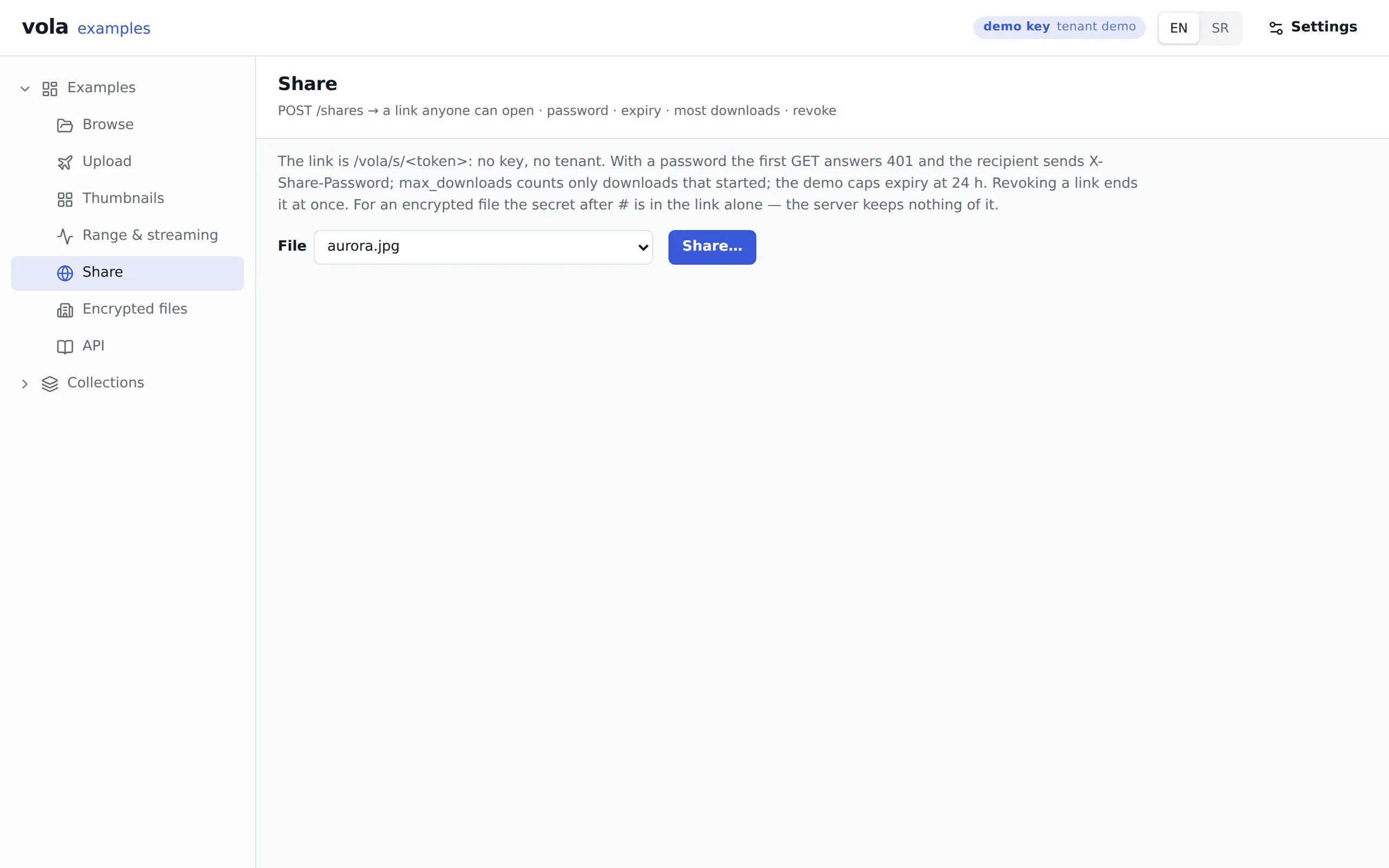
Anyone with the link can open the file without a key. It can carry a password, an expiry and a download cap, and you can revoke it.
POST /vola/shares HTTP/1.1
Authorization: Bearer $KEY
Content-Type: application/json

{
  "file_id": "01a19fd3",
  "expires_at": "2026-11-04T05:13:03Z",
  "max_downloads": 3
}
HTTP/1.1 201 Created Content-Type: application/json; charset=utf-8 { "file_id": "01a19fd3", "has_password": false, "expires_at": "2026-11-04T05:13:03.000Z", "max_downloads": 3, "download_count": 0, "token": "KYHHic7w…", "url": "https://examples.stage.vol-a.com/vola/s/KYHHic7w…" }HEAD /vola/s/KYHHic7w… HTTP/1.1HTTP/1.1 200 OK Content-Type: image/jpeg Content-Length: 41167 Accept-Ranges: bytes ETag: "4d88c02489c92231…" Cache-Control: private, no-store Content-Disposition: inline; filename="aurora.jpg" X-Robots-Tag: noindex, nofollowList it with everything else
The same file is a row of the
filesUDC collection, which you can filter, sort, page and subscribe to.POST /vola/udc/list HTTP/1.1 Authorization: Bearer $KEY Content-Type: application/json { "collection": "files", "filter": { "and": [ {"field": "instance_type", "op": "eq", "value": "demo"}, {"field": "instance_id", "op": "eq", "value": "00000000"}, {"field": "filename", "op": "eq", "value": "aurora.jpg"} ] }, "sort": [{"field": "created_at", "dir": "desc"}], "page": {"limit": 1} }HTTP/1.1 200 OK Content-Type: application/json; charset=utf-8 { "rows": [ { "id": "01a19fd3", "filename": "aurora.jpg", "kind": "image", "size": 41167, "hash": "4d88c02489c92231…", "processing_status": "DONE", "thumb_url": "/vola/files/demo/00000000/01a19fd3/thumb/256", "download_url": "/vola/files/demo/00000000/01a19fd3" } ], "total": 2 }
 64
 128
 256
 512256 ?crop=cover
 256 ?crop=fit
 256 ?crop=attention
The examples, live
A running vola with a demo tenant and a read-only key for you. Nothing to install or sign up for. You can upload, share and encrypt there; what you leave is purged after a day.
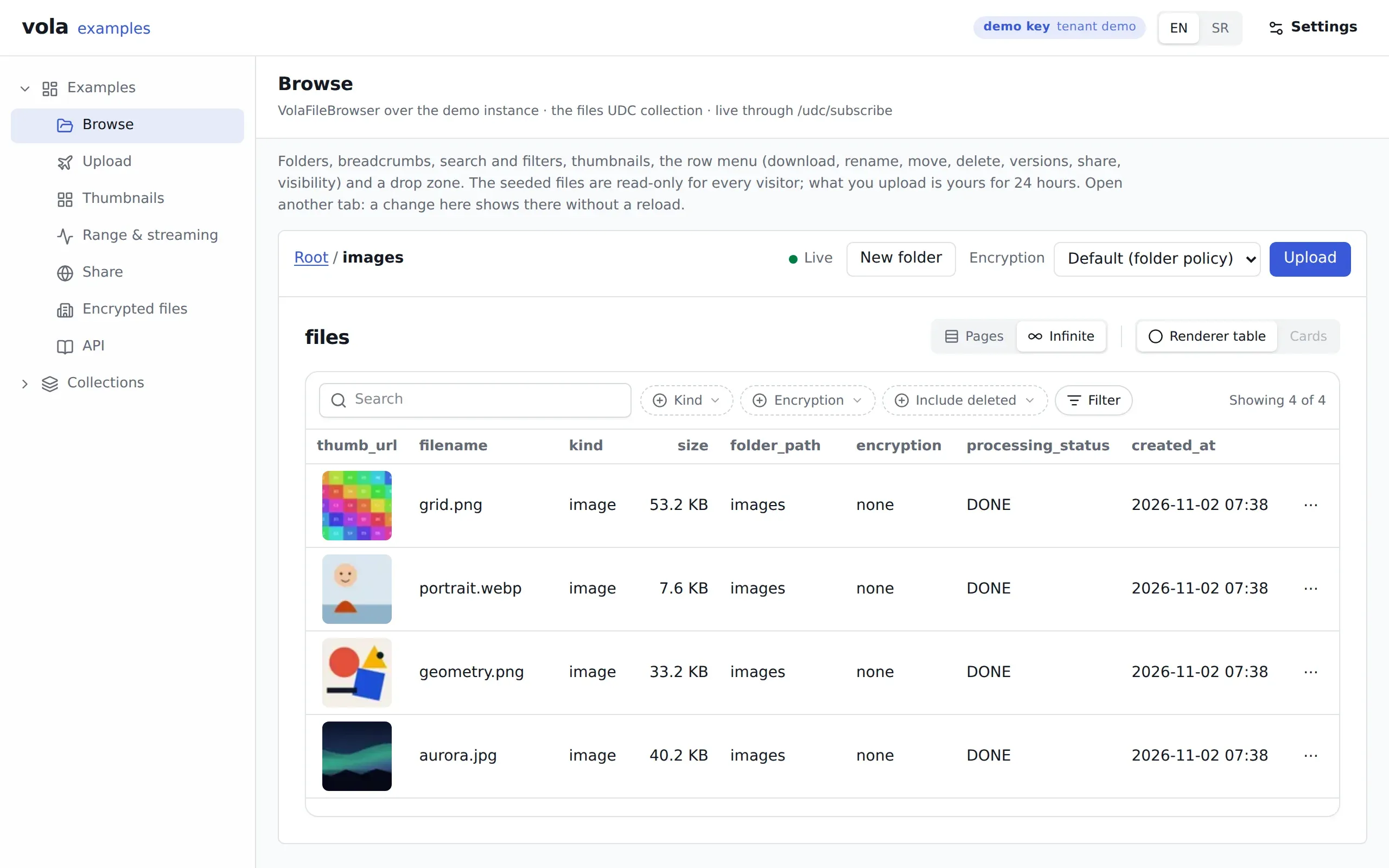
Browse
/examples/browseFolders, thumbnails and the row menu over the demo files. The list stays live over a WebSocket, so an upload elsewhere appears here.
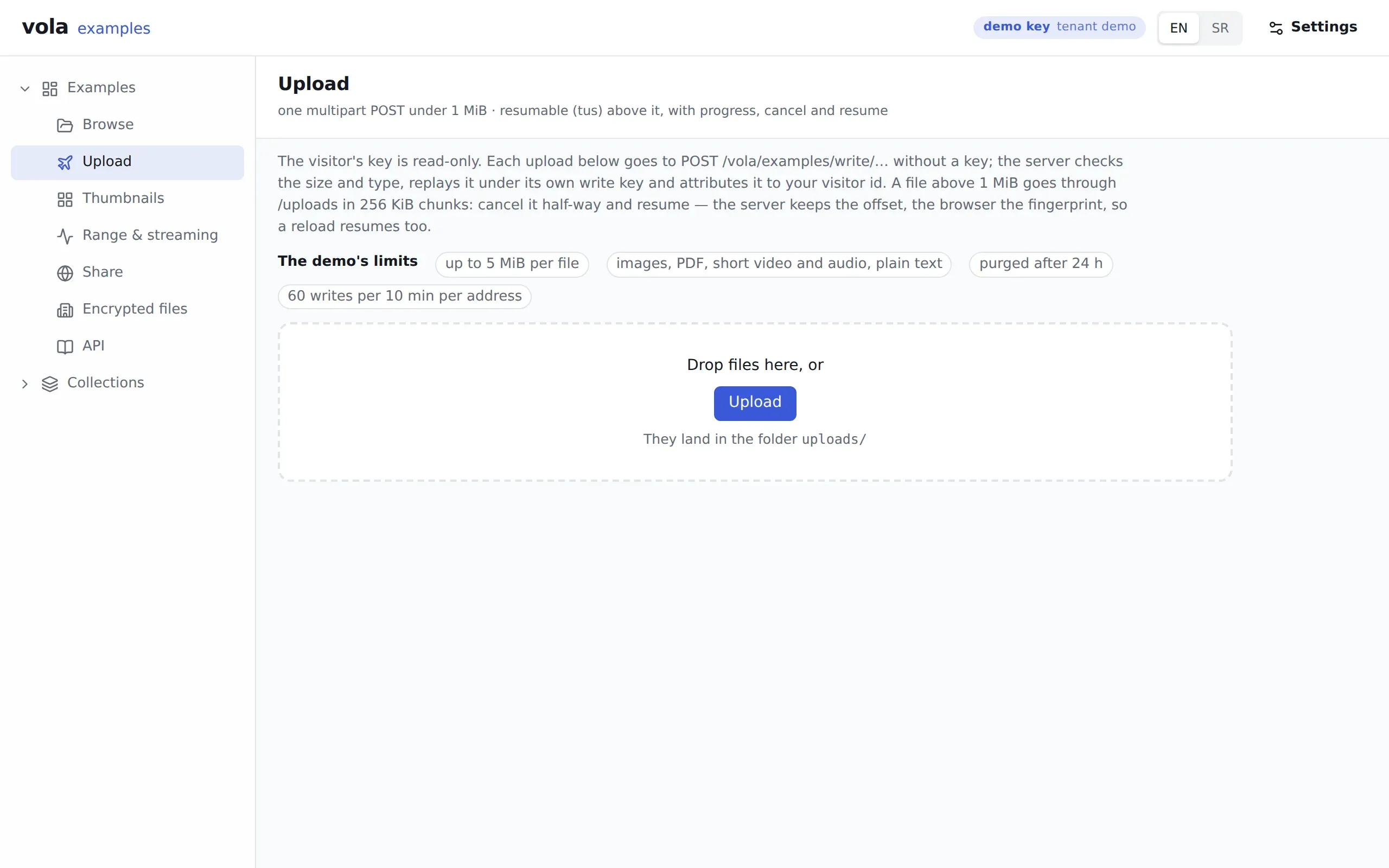
Upload
/examples/uploadOne multipart POST under 1 MiB, the resumable protocol above it, with progress, cancel and resume.
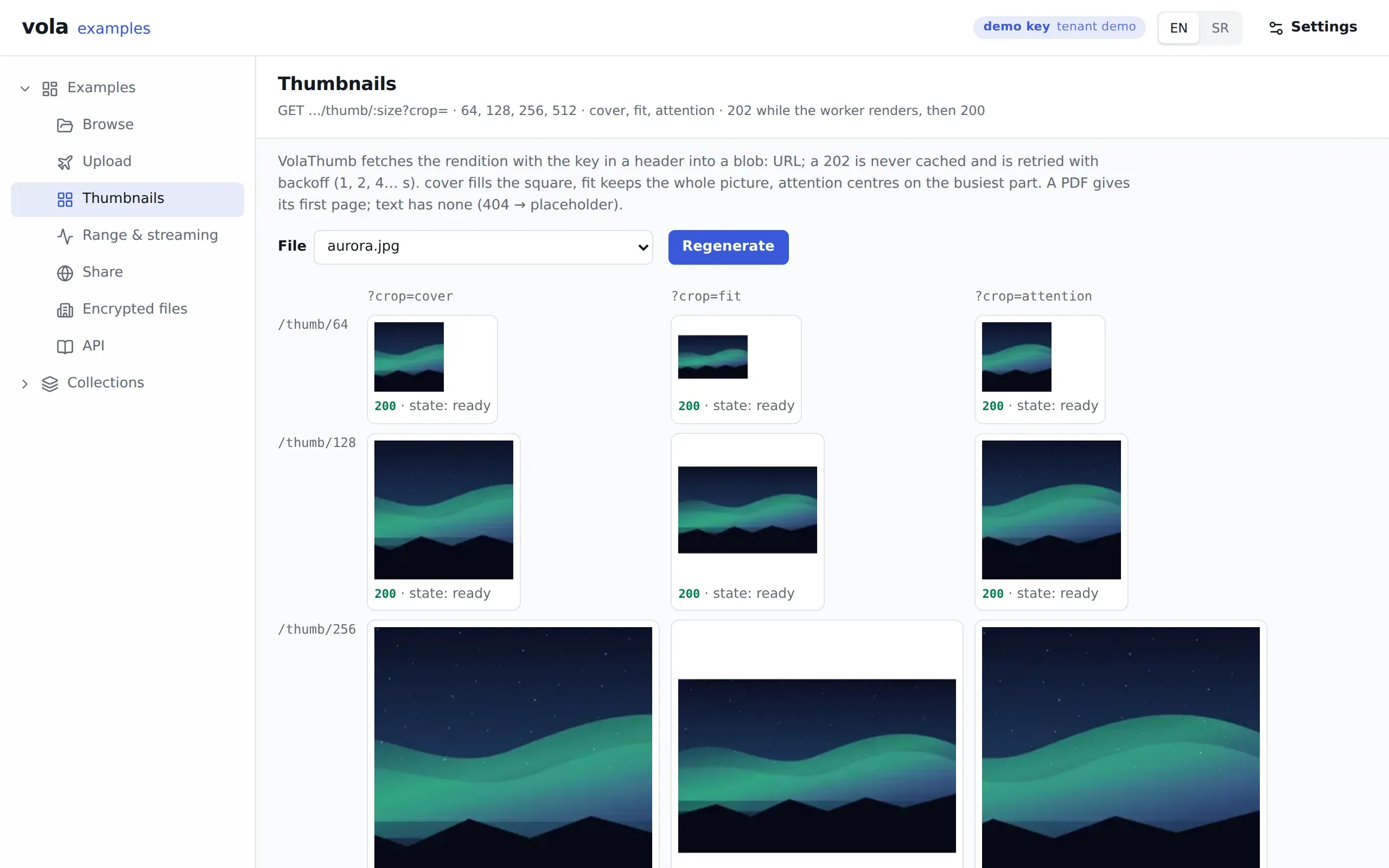
Thumbnails
/examples/thumbnailsEvery size and crop of one file. Regenerate drops the renditions so you can watch 202 become 200.
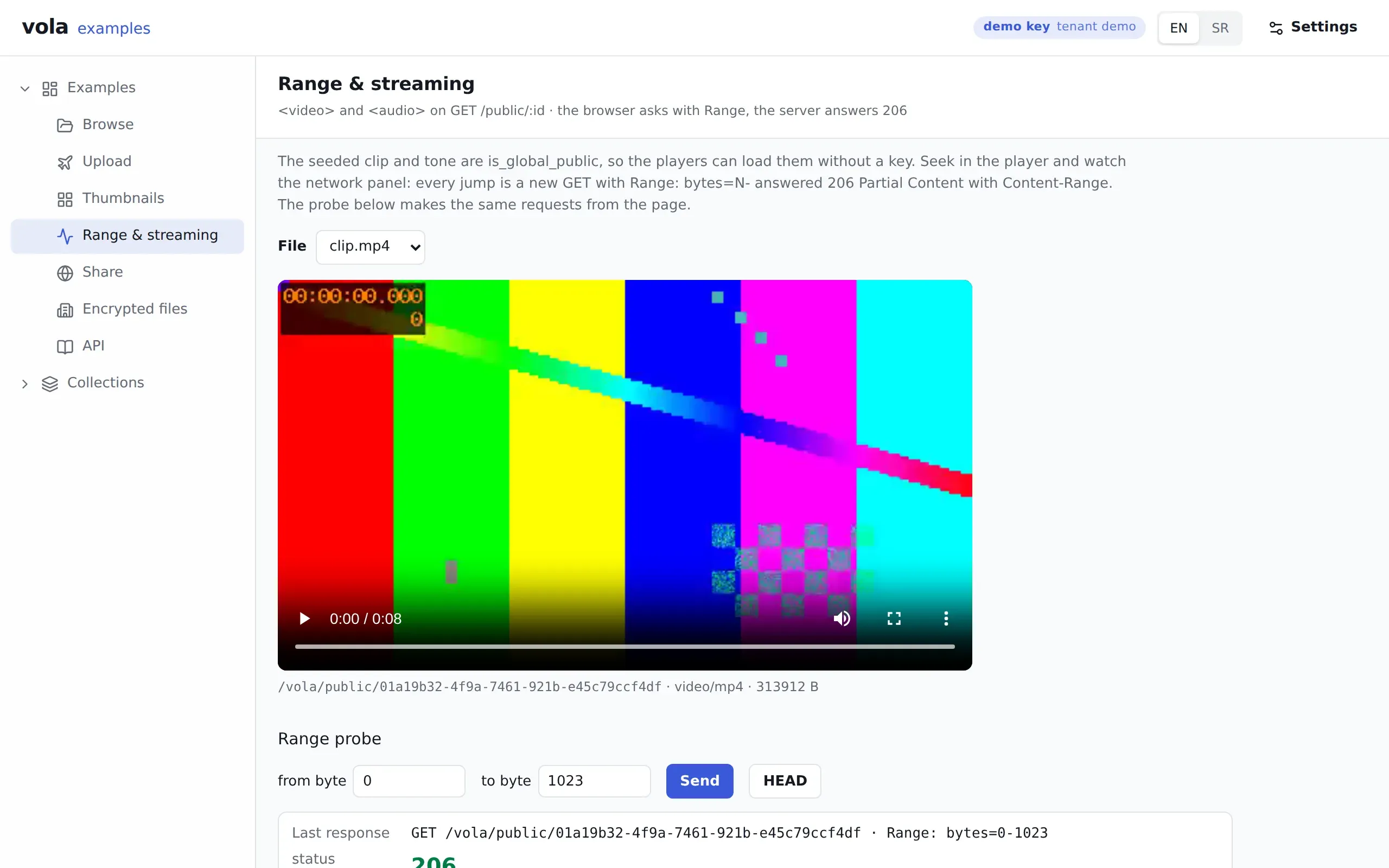
Range & streaming
/examples/streamingA video and an audio element playing from vola, and a Range probe showing the 206 the page itself got.
Share
/examples/shareMake a link with a password, an expiry and a download cap, open it in a new tab, then revoke it.
Encrypted files
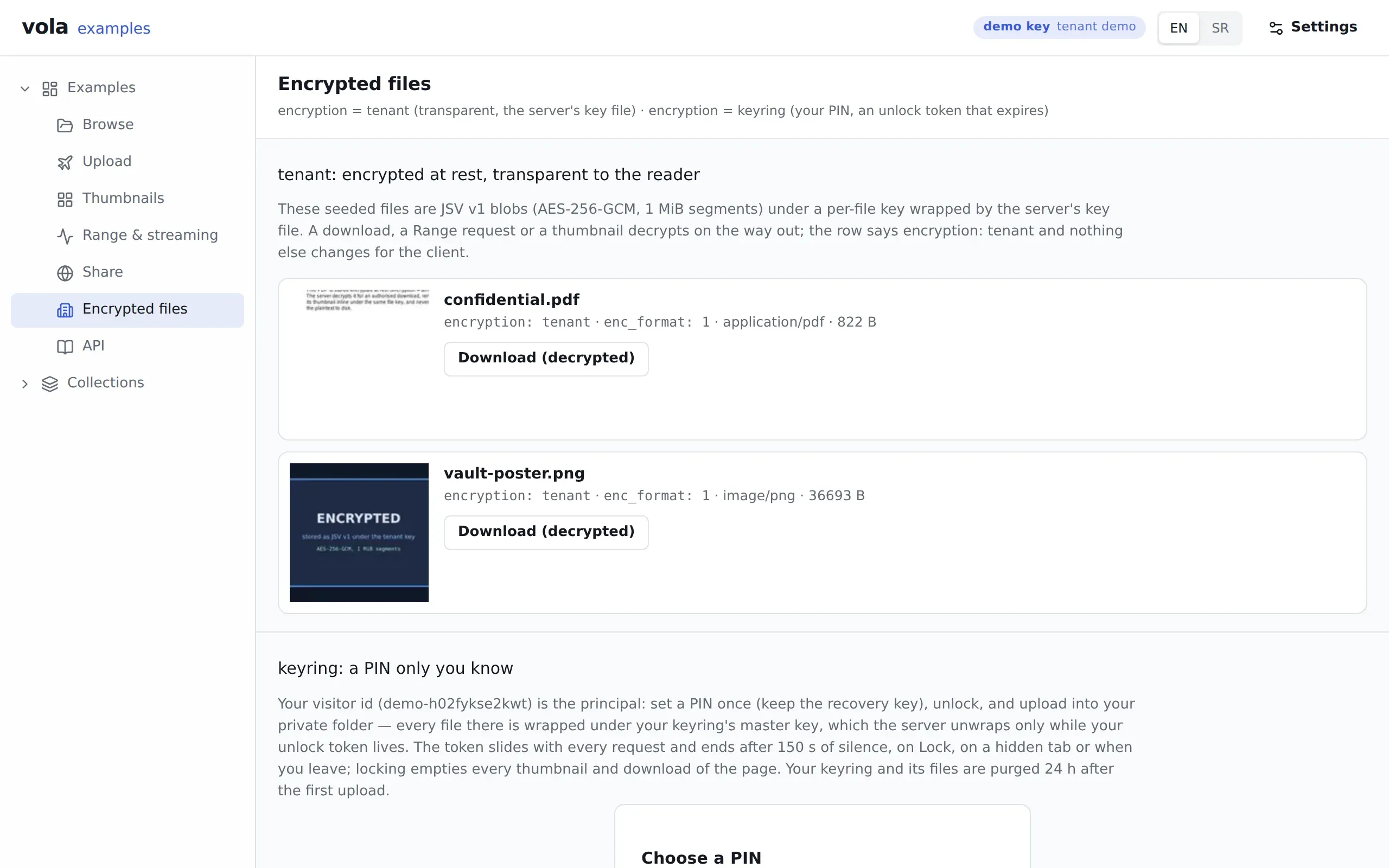
/examples/encryptedTenant-encrypted files that read as usual, and a private folder behind a PIN that counts down and locks.
Encrypted at rest, still seekable
A copy of the disk, the database and the backups shows who stored how much and when, and nothing of the content: no file name, type, bytes, thumbnail or OCR text.
Every encrypted file gets its own random key and is sealed in 1 MiB segments, so a Range read decrypts only the segments it touches, and changing who can open a file rewrites 64 bytes, never the blob.
| Provider | Choose it when | The key | A request carries |
|---|---|---|---|
tenant | Dumps and backups should be useless without the server's key, and your application has no per-user secret. The usual choice. | A key line in VOLA_KEY_FILE, derived per tenant | Nothing |
keyring | A person's private files that even the operator must not open. | A master key per person, behind a 6-digit PIN and a recovery key | X-Vola-Unlock, a short-lived token |
caller | Server to server, when you already manage keys and want vola to keep none. | A 32-byte key per request, never stored | X-Vola-Content-Key |
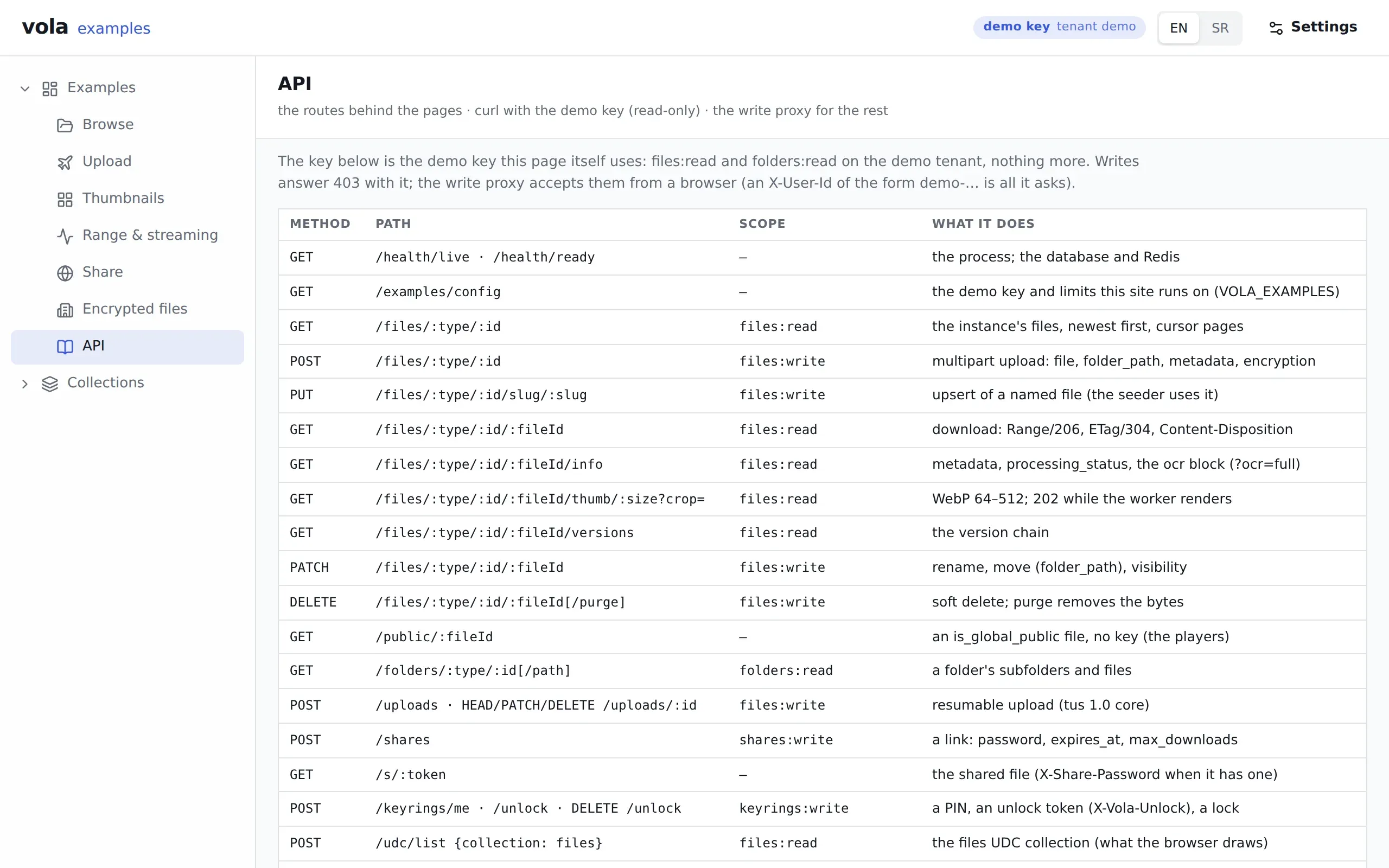
The API
Plain HTTP under one prefix, /vola. A key belongs to one tenant and holds scopes; another tenant's file is a 404, never a 403.
These commands work as written against the live examples, with the key that instance gives everyone.
| Route | What it does |
|---|---|
POST /files/:type/:id | Upload, multipart and streamed |
POST /uploads | Start a resumable upload (tus 1.0) |
GET /files/:type/:id/:fileId | Download, with Range, HEAD and ETag |
GET …/:fileId/thumb/:size | A WebP thumbnail; 202 while it renders |
GET …/:fileId/info?ocr=full | The text the worker read |
GET /folders/:type/:id[/*path] | One level of a folder |
POST /shares | A share link: password, expiry, download cap |
GET /s/:token | Open a share, no key |
POST /udc/list | Filter, sort and page the files collection |
GET /udc/subscribe | Live rows over a WebSocket |
POST /keyrings/me/unlock | Open a PIN-protected keyring |
# The examples instance hands its read-only visitor key to anyone who asks.VOLA=https://examples.vol-a.com/volaKEY=$(curl -s $VOLA/examples/config | jq -r .api_key)# The images folder of the demo instance, through the UDC `files` collection.curl -s -H "Authorization: Bearer $KEY" -H "Content-Type: application/json" \ $VOLA/udc/list -d '{ "collection": "files", "filter": {"and": [ {"field": "instance_type", "op": "eq", "value": "demo"}, {"field": "folder_path", "op": "eq", "value": "images"} ]}, "sort": [{"field": "filename", "dir": "asc"}], "page": {"limit": 3} }' | tee list.json | jq -r '.payload.rows[] | [.filename, .size, .mime_type] | @tsv'aurora.jpg 41134 image/jpeggeometry.png 34016 image/pnggrid.png 54518 image/png# The first kilobyte of the first of them, and the headers that came back.FILE=$(jq -r '.payload.rows[0].download_url' list.json)curl -s -o /dev/null -D - -H "Authorization: Bearer $KEY" -H "Range: bytes=0-1023" \ "https://examples.vol-a.com$FILE" | grep -iE '^(HTTP|content-range|accept-ranges)'HTTP/2 206accept-ranges: bytescontent-range: bytes 0-1023/41134Start where you are
Run your own in Docker or on one SQLite file, call it from a backend, draw it in React, or mount it inside the Fastify application you already have. The commands were run as shown and the programs compile against this repository.
Docker with Compose: the server, the worker, PostgreSQL and Redis, with named volumes.
git clone https://github.com/digital-cube/jsvola.git && cd jsvola
echo "POSTGRES_PASSWORD=$(openssl rand -hex 16)" > .env
docker compose -f docker-compose.yaml up -d --builduntil curl -sf localhost:8300/vola/health/ready; do sleep 2; done
docker compose -f docker-compose.yaml exec vola vola create-tenant --slug acme --name "Acme Inc"docker compose -f docker-compose.yaml exec vola vola create-key --tenant acme --name backend \  --env live --scopes files:read,files:write,folders:read,folders:write,shares:write
export KEY=vola_live_... # what create-key printedexport TICKET=$(uuidgen | tr A-F a-f)curl -s -H "Authorization: Bearer $KEY" -F file=@README.md \ localhost:8300/vola/files/tickets/$TICKET | tee file.json | jq '{filename, size, mime_type, kind}'curl -s -o /dev/null -w '%{http_code}\n' -H "Authorization: Bearer $KEY" -H "Range: bytes=0-9" \ localhost:8300/vola/files/tickets/$TICKET/$(jq -r .id file.json){"status":"ok","checks":{"database":"ok","redis":"ok"}}
created tenant acme (Acme Inc) id=01a19fc9created key vola_live… "backend" for tenant acme id 01a19fc9 scopes files:read, files:write, folders:read, folders:write, shares:write Plaintext key (shown ONCE — store it now, it cannot be recovered): vola_live_...
{ "filename": "README.md", "size": 11945, "mime_type": "text/markdown", "kind": "text"}206Node 24 and one SQLite file: no Docker, no database service. One server process on one host.
mkdir my-vola && cd my-volanpm install @vol-a/server @vol-a/cli
export VOLA_DATABASE_URL=file:data/vola.db   # the database, one fileexport VOLA_STORAGE_PATH=data/storage        # the bytesexport VOLA_PORT=8310                        # the default is 8300
npx vola migratels data
npx vola create-tenant --slug acme --name "Acme Inc"npx vola create-key --tenant acme --name backend --env live \  --scopes files:read,files:write,folders:read,folders:write,shares:write
node node_modules/@vol-a/server/dist/server.jsexport KEY=vola_live_... # what create-key printedcurl -s localhost:8310/vola/health/ready; echoecho "Hello from SQLite" > hello.txtexport TICKET=$(uuidgen | tr A-F a-f)curl -s -H "Authorization: Bearer $KEY" -F file=@hello.txt \ localhost:8310/vola/files/tickets/$TICKET | tee file.json | jq '{filename, size, mime_type, kind}'curl -s -H "Authorization: Bearer $KEY" localhost:8310/vola/files/tickets/$TICKET/$(jq -r .id file.json)ls data{"status":"ok","checks":{"database":"ok"}}{ "filename": "hello.txt", "size": 18, "mime_type": "text/plain", "kind": "text"}Hello from SQLitestoragevola.dbvola.db-shmvola.db-walThe fetch SDK for every route, for Node 24 and browsers. This program reads the live examples instance.
pnpm add @vol-a/clientimport { VolaClient } from "@vol-a/client";
// The examples instance's read-only key, the one its site hands to every visitor.const baseUrl = "https://examples.vol-a.com/vola";const config = (await (await fetch(`${baseUrl}/examples/config`)).json()) as { api_key: string; instance_type: string; instance_id: string;};const vola = new VolaClient({ baseUrl, apiKey: config.api_key });
const { folder, files } = await vola.folders.list( config.instance_type, config.instance_id, "images",);console.log(`${folder?.path}: ${files.length} files`);
const file = files.find((f) => f.filename === "aurora.jpg");if (!file) throw new Error("no aurora.jpg in the demo pack");console.log(file.filename, file.size, file.mime_type);
// A Range read: a streaming Response with the 206's headers.const part = await vola.files.download(config.instance_type, config.instance_id, file.id, { range: { start: 0, end: 1023 },});console.log(part.status, part.headers.get("content-range"));
// A thumbnail: 202 is not the image, so the client says which one you got.const thumb = await vola.files.thumb(config.instance_type, config.instance_id, file.id, 256);console.log(thumb.status, thumb.status === "ready" ? `${thumb.blob.size} bytes` : "try again");images: 4 filesaurora.jpg 41134 image/jpeg206 bytes 0-1023/41134ready 1960 bytesA file browser, uploads, thumbnails, the PIN gate and the share dialog as React 19 components.
import "@jsudc/react/styles.css";import "@vol-a/react/styles.css";import { VolaClient } from "@vol-a/client";import { VolaFileBrowser, VolaPinGate, VolaProvider } from "@vol-a/react";
// The files of one ticket: folders, thumbnails, uploads, share links, kept live over a WebSocket.// `/vola` is your own origin, proxied to vola; the key needs `files:read`, the actions their scopes.export function TicketFiles({ apiKey, ticketId }: { apiKey: string; ticketId: string }) { const vola = new VolaClient({ baseUrl: "/vola", apiKey, userId: "user-42" }); return ( <VolaProvider client={vola} locale="en"> <VolaPinGate> <VolaFileBrowser instanceType="tickets" instanceId={ticketId} /> </VolaPinGate> </VolaProvider> );}The same server as a Fastify plugin, next to your own routes, on PostgreSQL or a SQLite file.
pnpm add @vol-a/server @vol-a/core fastifyimport { connect, loadConfig, runMigrations, volaPlugin } from "@vol-a/server";import Fastify from "fastify";
// vola inside the Fastify application you already have, under /vola. Every VOLA_* variable is read// by loadConfig(); VOLA_DATABASE_URL picks the database: postgresql://… or a SQLite file:<path>.// The worker is a separate process, `node node_modules/@vol-a/server/dist/worker.js`.const app = Fastify({ logger: true });const config = loadConfig();const database = connect(config.databaseUrl);await runMigrations(database.db); // on SQLite this creates the file on the first start
app.get("/", async () => ({ service: "my-app" }));await app.register(volaPlugin, { prefix: "/vola", config, db: database.db });app.addHook("onClose", async () => database.close());
for (const signal of ["SIGINT", "SIGTERM"]) process.once(signal, () => void app.close());await app.listen({ host: "0.0.0.0", port: 3000 });Packages
Six packages and one image, all on the same version. Take only what you need.
| Package | Version | On npm | Uses |
|---|---|---|---|
@vol-a/coreZod schemas, inferred types and helpers shared by server, CLI and clients. | 1.1.0 | not on npm yet | None |
@vol-a/lookupsControlled vocabularies from YAML (file kinds, processing statuses and kinds, share scopes, OCR languages, encryption modes), CSV translations, candidate recording and TypeScript/Zod codegen. | 1.1.0 | not on npm yet | None |
@vol-a/serverFastify plugin and standalone server, Drizzle on PostgreSQL or SQLite, Redis, tenant isolation, API key auth, UDC collections. | 1.1.0 | not on npm yet | @vol-a/core@vol-a/lookups |
@vol-a/cliTenants, API keys, migrations and the lookups vocabulary for @vol-a/server. | 1.1.0 | not on npm yet | @vol-a/client@vol-a/core@vol-a/lookups@vol-a/server |
@vol-a/clientA fetch-based, dependency-light client for the @vol-a/server API — files, folders, resumable uploads, shares, keyrings, stats — for Node 24+ and browsers. | 1.1.0 | not on npm yet | @vol-a/core |
@vol-a/reactVolaProvider, a live file browser on @jsudc/react, uploads with resumable progress, thumbnails, the keyring PIN gate with auto-lock, and the share dialog. | 1.1.0 | not on npm yet | @vol-a/client@vol-a/core |
Read from packages/*/package.json when this site was built (): one version, 1.1.0, for all 6. Licence: MIT. On npm: the npm registry, asked in the same build: the newest version of each package and when it was published; none is on npm yet.
The imagev1.1.0 released
ghcr.io/digital-cube/jsvola:<version>
latest- the newest tag
edge- main
sha-<short>- one commit